01Auto-heal & resources
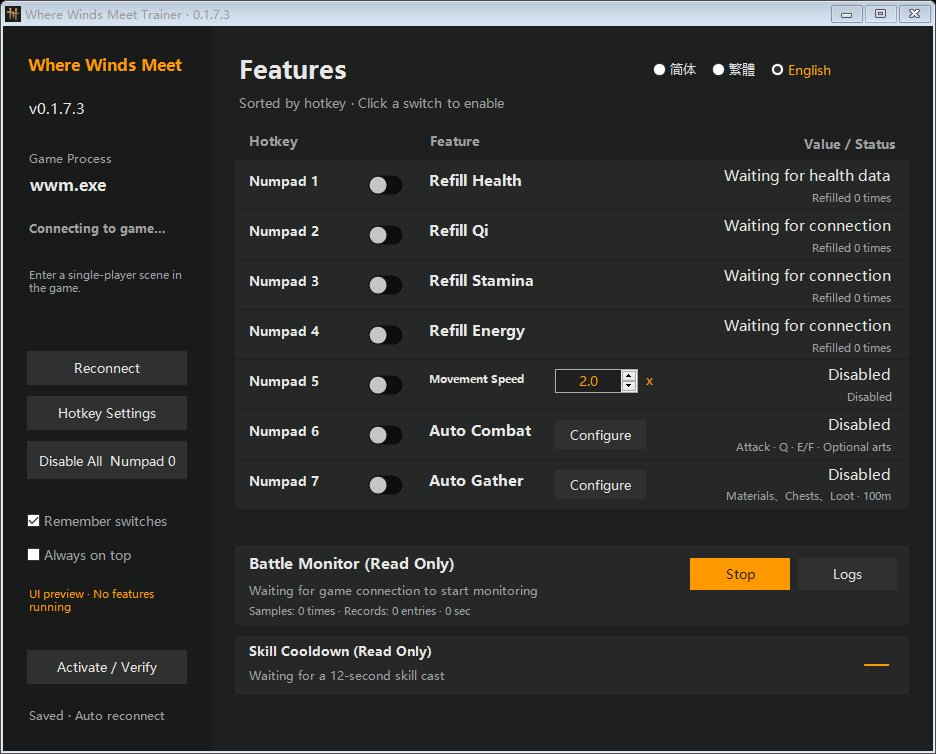
Automatic health refill comes first.
Automatic health refill leads the lineup. Qi, stamina and energy each have their own switch.
Automatic health refill, stamina, Qi and energy refills, plus automatic combat and gathering. Your strongest features, right up front.
Automatic health refill leads the lineup. Qi, stamina and energy each have their own switch.
Native interface capture. No game connected; this is not gameplay footage.
Full interfaces, shown directly. No image pop-ups. No extra steps.
Automatic health refill leads the lineup. Qi, stamina and energy each have their own switch.
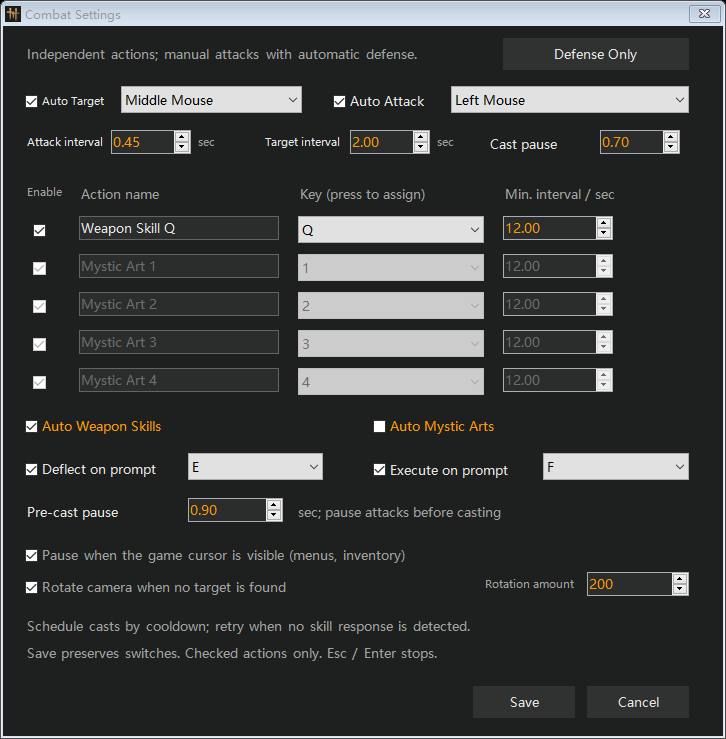
Targeting, attacks, Q skills, prompted E deflects and F executions: configure each action separately.
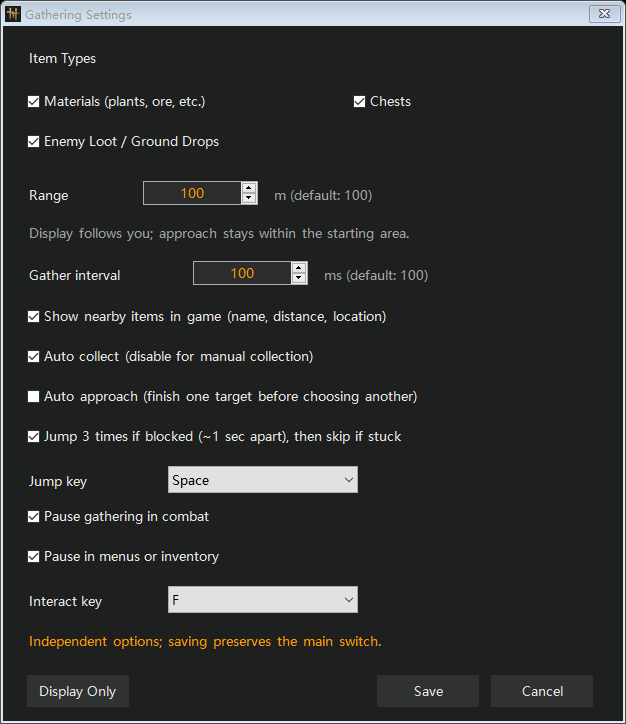
Materials, chests and enemy loot. Configure item display, radius, approaching and nearby interaction separately.
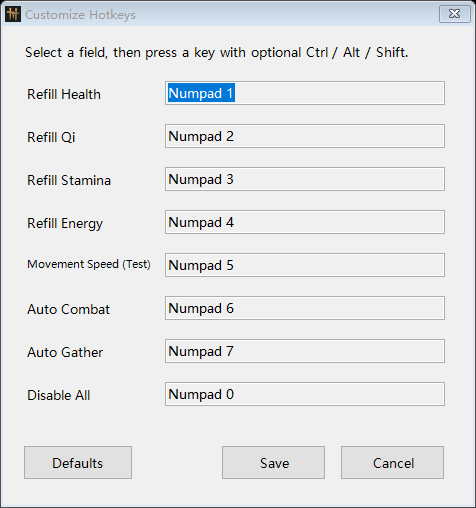
Assign your own shortcuts and keep your preferences between sessions.
Specific safeguards, not a promise that every game update will work forever.
Keep the parts you enjoy.
Spend less time on repetitive tasks
and more time exploring.
Toggle health, Qi, stamina, and energy refills separately. Turn on what you need and leave the rest off.
Set up targeting, light attacks, weapon skills, and prompted defense independently. Keep control of the actions you want to handle yourself.
See the names and distances of detected nearby items. Choose materials, chests, or enemy loot, and optionally collect them when you get close.
Choose a pass. Activate. Play.
Get back to the adventure.
Pick a Day Pass or a 30-Day Pass, then pay through Stripe Checkout.
Once your payment is confirmed, your private order page will show your Windows download and activation code.
Enter your activation code, choose your features, and set your hotkeys. Your settings are saved for next time.
One purchase. All current trainer features.
Get 24 hours of access or choose a full 30 days.
A full day of access, without a subscription.
More time to explore, with one upfront payment.
Access begins at your first successful activation and runs continuously, even when the app is closed. ¹ Payment methods vary by location and device.
Here’s what you need to know.
Enable automatic health refill in the client after connecting to the game. Qi, stamina and energy refill each have their own switch.
Verification failures and expired licenses stop active modifications while keeping your configuration. Features load on demand. These safeguards are verified; universal compatibility or a crash-free experience is not guaranteed.
Both passes include the supported Windows trainer and the features listed on this page. A Day Pass gives you 24 hours of access. A 30-Day Pass gives you 30 consecutive days. Access starts with your first successful activation and runs even when the app is closed, and each activation code works on one device.
After Stripe confirms your payment, your private order page will show your activation code and Windows download. Bookmark that page and reopen it in the same browser. The download includes the launcher and its required files.
No. Each pass is a one-time purchase with no automatic renewal. Buy another pass only when you want more time.
Yes. The trainer checks your license while it’s running. If verification fails, active modifications pause, but your settings stay saved. Verify your license again in the app to resume.
Yes. Customize hotkeys, adjust the movement speed multiplier, and choose individual combat and gathering options in the Windows app. The app supports English, Simplified Chinese, and Traditional Chinese.
The trainer supports compatible Windows PC builds of Where Winds Meet. Features can vary by game build, scene, and available game data. Mobile and console versions aren’t supported. Check compatibility before buying. This is independent software, not an official product from the game’s publisher.